
Digicam AI prompt (and an easier way)
Want the digicam flash look from an AI chatbot? Here is a prompt that works, why results often change your face, and how to skip prompting entirely.
A 1-minute quiz, then 7 days free. No app, works in TikTok and Instagram. 18+, photos auto-delete.

 BeforeDigicam Flash
Why chatbot prompts often change your face
General image models like to "improve" faces: smoother skin, bigger eyes, a slimmer jaw, sometimes a camera or props that were not there. The prompt below tells the model to keep everything, but there is no check afterward. DigicamLook adds one: a second AI compares the result with your original and retakes it if anything drifted.
Tips if you use the prompt
Attach one photo. Ask for one image at a time. If the face changes, say "keep my exact face, only change the light" and try again. Avoid asking the model to write a date; add it afterward.
The prompt
Examples
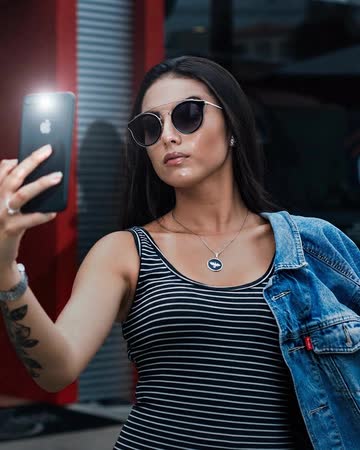

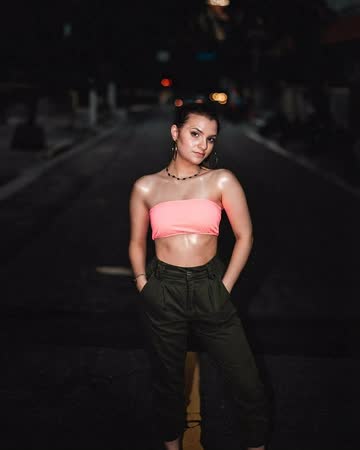

Examples are AI edits of free stock photos (Pexels), made with DigicamLook.
How to get the Digicam Flash look
Take the 1-minute quiz
Pick your vibe and your looks. Digicam Flash is already in your pack.
Start your free week
$0 today. Add any photo from your camera roll and we develop your pack right away, usually in under a minute.
Download or make slides
Full-res downloads, a strength slider, Remove People, Pro Lighting and Posted / Deleted slides with the free week.
FAQ
Is the prompt free to use?
Yes, copy it into any AI image tool you like.
What does DigicamLook add?
A face check on every result, 11 ready looks plus Remove People and Pro Lighting, an optional date stamp and a carousel maker.
Is DigicamLook free?
It has a 7-day free trial, then $9/week. Cancel anytime.
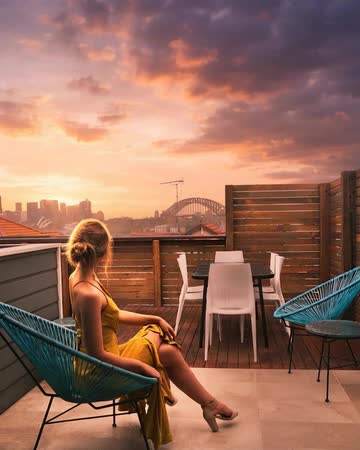 Sunset Glow